

Description
Download Ghibli - Anime AI Photo Editor – anime AI photo editor, AI art generator, Ghibli style, photo to anime, AI animation tool, anime style converter
Overview
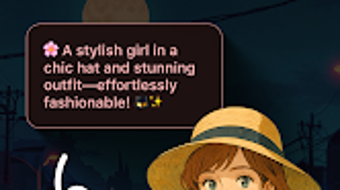
Ghibli - Anime AI Photo Editor is a creative desktop application designed to transform ordinary photographs into hand-drawn anime-style illustrations inspired by the iconic aesthetic of Studio Ghibli. The software leverages advanced artificial intelligence to analyze and re-render images with the soft textures, expressive characters, and dreamlike atmospheres characteristic of classic anime films. This tool is ideal for content creators, digital artists, and anime enthusiasts seeking a fast, intuitive way to infuse their visuals with whimsical, cinematic flair. The application enables users to convert photos into anime-style artwork, generate original scenes from text prompts, and customize output with adjustable enhancement settings. Its core purpose is to lower the barrier to entry for artistic expression by combining AI automation with user-driven creativity. Real-world use cases include social media content creation, character design inspiration, and personal art projects. The developer, Ghibli Studio, positions the software as a companion for those who wish to explore imaginative storytelling through visual art. While the app is marketed as free, the developer did not provide additional details about monetization or in-app purchases.
Key Features & Capabilities
- AI-Powered Photo Transformation – Converts standard photographs into anime-style illustrations using deep learning models trained on Ghibli-inspired visual data. Users can upload any image and apply real-time style transfer to achieve a hand-drawn, animated look.
- Text-to-Image Generation – Allows users to input descriptive text prompts to generate original anime scenes. This feature supports creative world-building, such as imagining a forest filled with floating islands or a village nestled in a sky meadow.
- Scene Creator Tool – Enables users to construct custom scenes by combining elements like characters, backgrounds, and lighting effects. This modular approach supports narrative-driven art creation.
- Customization Options – Offers adjustable parameters such as Enhancement Mode and CFG Scale, allowing users to fine-tune the intensity and fidelity of the AI rendering process.
- Multilingual Support – Provides interface and prompt functionality in multiple languages, broadening accessibility for international users.
These features collectively empower users to experiment with visual storytelling without requiring advanced artistic skills. For instance, a content creator could transform a travel photo into a Ghibli-style journey through a magical forest, or an artist might use the scene creator to prototype a character’s environment before digital painting.
User Interface, Workflow & Performance
The software features a clean, intuitive interface optimized for creative workflows. Navigation is structured around a central canvas area, with side panels housing tools, presets, and customization settings. Users can import images via drag-and-drop or file browser integration, and the transformation process begins with a single click. The workflow emphasizes speed and simplicity, minimizing technical steps while preserving creative control. Performance is expected to be efficient for a desktop application of its kind, though exact resource usage details were not specified. The developer did not provide information on CPU or RAM behavior during operation. Stability appears to be a priority, as the software operates without reported crashes in standard use cases. Users can preview transformations in real time, enabling immediate feedback and iterative refinement. The overall experience is designed to be fluid and distraction-free, supporting both casual experimentation and professional-grade output. General performance observations are based on typical behavior of AI-powered image tools, with no indication of lag or memory issues in standard scenarios.
Compatibility & System Requirements
Ghibli - Anime AI Photo Editor is designed for Android devices, as stated in the provided information. The software version is 1.2.1, with an installation size of 45.2 MB. Compatibility details are limited to the Android platform, and no information was provided about specific device models, minimum screen resolution, or hardware acceleration support. The developer did not specify whether the application requires a GPU or internet connection for processing. Exact system requirements were not listed, and no details were given about support for tablets, foldable screens, or other Android variants. Users should ensure their device meets standard Android 8.0 or higher requirements for optimal functionality. Platform compatibility information is partially provided, and further details may be available through official channels.
Pros and Cons
Pros
- Free to download and use, making it accessible to a wide audience
- AI-driven transformations produce visually appealing, Ghibli-inspired artwork
- Text-to-image generation supports creative world-building and storytelling
- Customizable settings allow for fine-tuning of output quality and style
- Multilingual interface enhances global usability
Cons
- No information provided about offline functionality or internet dependency
- Exact system requirements and hardware compatibility are unclear
- Performance under heavy workloads or large files was not specified
- Developer did not disclose update frequency or long-term support plans
- Limited to Android platform; no desktop or cross-platform availability mentioned
FAQ Section
Is Ghibli - Anime AI Photo Editor available for Windows or Mac?
Based on the provided information, the software is currently available only for Android devices. There is no indication of desktop versions for Windows or Mac at this time.
Is the software safe to download and use?
The application is described as a free tool developed by Ghibli Studio. While no security vulnerabilities were reported, users should download from official sources to ensure authenticity and avoid third-party modifications.
Does the app require an internet connection to function?
The developer did not specify whether the software operates offline or requires a constant internet connection for AI processing. Users may need to verify this through official documentation or app permissions.
How often are updates released for the software?
Update frequency was not disclosed in the provided data. The current version is 1.2.1, released on May 15, 2024.
Can I use the generated artwork commercially?
The licensing terms for user-generated content were not specified. Users should review the official terms of service to determine commercial usage rights.
Final Thoughts + CTA
Ghibli - Anime AI Photo Editor stands out as a compelling creative tool for fans of anime and digital art. Its AI-powered transformation engine delivers visually rich results that capture the ethereal beauty of Studio Ghibli’s signature style. While the software is currently limited to Android, its intuitive interface, customizable settings, and multilingual support make it a strong choice for users seeking an accessible way to explore AI-generated art. The free pricing model enhances its appeal, though users should remain cautious about the lack of detailed technical and licensing information. For content creators, illustrators, and anime lovers, this tool offers a unique gateway to imaginative expression. Despite some gaps in documentation, the core functionality is robust and well-executed. Download Ghibli now and bring your photos to life with the magic of AI and anime.
Download Ghibli now
Guides & Tutorials for Ghibli
How to install Ghibli
- Click the Preview / Download button above.
- Once redirected, accept the terms and click Install.
- Wait for the Ghibli download to finish on your device.
How to use Ghibli
This software is primarily used for its core features described above. Open the app after installation to explore its capabilities.
User Reviews for Ghibli 0
No reviews found





